Sales Management Software
How Can CRM Software Improve Sales Follow-Ups?
Following up with leads is an important part of the sales process. However, sales teams often manage multiple prospects, conversations, meetings and pending tasks at the same time. Without an organized system, some follow-ups may be delayed or missed. CRM sales follow-up tools can help businesses organize these activities, track customer interactions and create a more structured follow-up process.
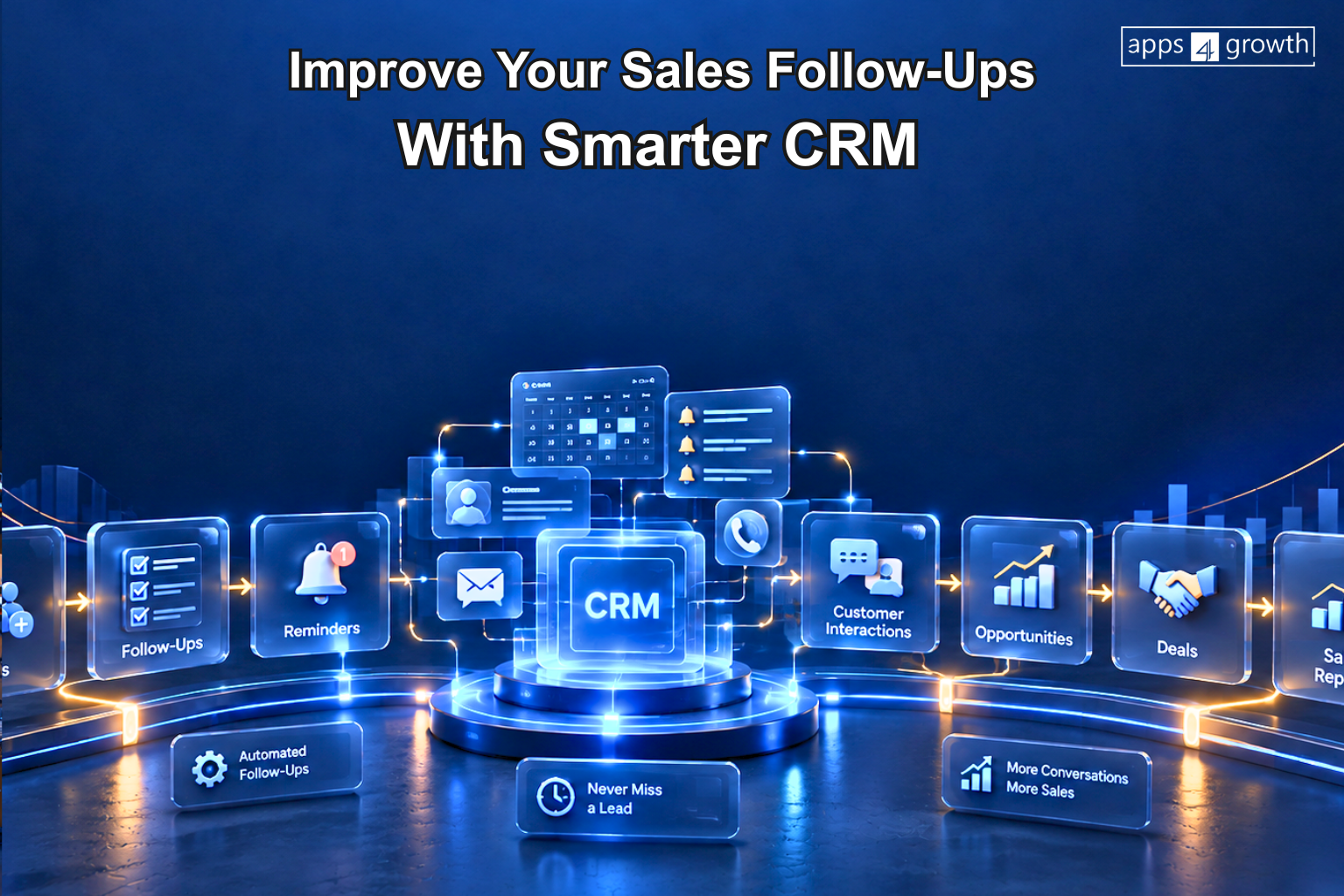
A CRM system can bring lead information, communication history, follow-up tasks, sales opportunities and customer details into one place. apps4growth can help businesses develop customized CRM solutions that connect these sales activities and support structured follow-up workflows. Businesses can also use automation to create reminders and workflows that support sales representatives throughout the customer journey.
What Is CRM Sales Follow-Up?
CRM sales follow-up refers to using a customer relationship management system to organize, track and manage follow-up activities with leads and customers.
Instead of relying only on personal notes, spreadsheets or memory, sales representatives can use a CRM to record customer interactions and schedule future activities.
A CRM sales follow-up process may include:
- Recording new leads
- Assigning leads to sales representatives
- Tracking calls and emails
- Scheduling follow-up tasks
- Setting reminders
- Recording customer responses
- Updating lead status
- Tracking sales opportunities
- Monitoring the sales pipeline
- Reviewing follow-up activities
This creates a centralized process for managing customer communication.
Why Are Sales Follow-Ups Important?
A potential customer may not be ready to purchase after the first interaction. They may need additional information, a product demonstration, a quotation or more time to make a decision.
Consistent follow-ups can help sales teams maintain communication throughout this process.
Without proper follow-up management, businesses may experience:
- Missed sales opportunities
- Delayed responses
- Inconsistent customer communication
- Duplicate follow-ups
- Poor visibility into lead status
- Difficulty tracking sales activities
- Leads being forgotten
- Manual administrative work
A structured follow-up process helps teams keep track of what needs to happen next.
How Can CRM Software Improve Sales Follow-Ups?
CRM software can improve follow-up management by connecting customer information with sales activities and reminders.
Centralized Customer Information
A CRM system stores customer details and interaction history in one location. Sales representatives can review previous conversations before contacting a prospect again.
This can make follow-ups more relevant and reduce the need to search through different files or communication channels.
Automated Follow-Up Reminders
Sales teams can create reminders for calls, meetings, emails and other follow-up activities.
For example, after sending a quotation, a sales representative can schedule a reminder to contact the prospect after a defined period.
Lead Follow-Up Tracking
CRM software can show which leads have been contacted, which leads require follow-up and which prospects have moved to another stage.
This gives sales teams a clearer view of pending activities.
Sales Pipeline Visibility
Follow-ups are closely connected to the sales pipeline. A CRM can show opportunities according to stages such as new lead, qualified lead, proposal, negotiation and closed.
Sales representatives can identify opportunities that need attention and update their status after each interaction.
Automated Sales Workflows
Businesses can create workflow rules for certain sales activities. For example, a new lead can automatically receive an assigned sales representative and a follow-up task.
Depending on the system, workflows can also trigger notifications, task assignments or other internal actions.
What Features Help With Sales Follow-Ups?
Different CRM platforms provide different capabilities, but several features are particularly useful for follow-up management.
Follow-Up Reminders
Reminders help sales representatives keep track of scheduled calls, emails, meetings and other activities.
Lead Management
Lead management allows teams to organize prospects, record their information and track their progress through the sales process.
Communication History
A CRM can maintain records of customer interactions so sales representatives can understand previous conversations before making another contact.
Sales Pipeline
Pipeline management provides visibility into open opportunities and their current stages.
Task Management
Sales representatives can create tasks and assign deadlines for follow-up activities.
Notifications
Notifications can alert sales teams about pending tasks, new leads or changes in customer status.
Sales Reports
Reports can help managers review follow-up activities, open opportunities and sales pipeline movement.
CRM Follow-Up Automation
One of the main advantages of CRM software is the ability to automate repetitive follow-up activities.
For example:
New Lead → Lead Assignment → Initial Contact → Follow-Up Reminder → Customer Response → Next Task → Sales Stage Update
A CRM can automate certain steps while allowing sales representatives to handle conversations that require personal attention.
Common automation examples include:
- Automatic lead assignment
- Follow-up reminders
- Task creation
- Internal notifications
- Lead status updates
- Email workflow triggers
- Sales activity alerts
- Follow-up task scheduling
- Pipeline stage updates
Automation rules should be designed around the actual sales process. Over-automating customer communication can make interactions less relevant, so businesses should maintain an appropriate balance between automation and personal communication.
CRM Software vs Manual Sales Follow-Ups
Businesses can manage sales follow-ups manually through spreadsheets, calendars, email reminders and personal notes. However, these methods can become difficult to maintain when the number of leads increases.
Manual Follow-Ups
- Separate spreadsheets
- Personal reminders
- Manual lead updates
- Scattered communication records
- Manual task assignment
- Limited pipeline visibility
- Repetitive data entry
- Higher dependency on individual employees
CRM-Based Follow-Ups
- Centralized customer information
- Scheduled follow-up reminders
- Structured lead management
- Connected communication history
- Automated task assignment
- Sales pipeline visibility
- Centralized sales activities
- Workflow automation
The right approach depends on the size of the sales team, number of leads and complexity of the sales process.
How Does CRM Help Sales Teams Manage Leads?
Lead management and follow-up management are closely connected.
When a new lead enters the CRM, the system can store relevant information such as:
- Name
- Contact information
- Lead source
- Product or service interest
- Lead status
- Assigned salesperson
- Previous interactions
- Follow-up dates
- Notes
- Sales stage
Sales representatives can then use this information to plan the next interaction.
A structured lead management process can also help managers identify leads that have not received recent attention.
How Can Businesses Automate Sales Follow-Ups?
Businesses should first identify repetitive follow-up activities before introducing automation.
A practical process can include:
Identify Follow-Up Activities
List the activities that sales representatives perform repeatedly, such as reminders, lead assignment and status updates.
Define Sales Stages
Create clear stages for the sales pipeline so employees know when a follow-up should occur.
Set Follow-Up Rules
Determine when the next activity should happen based on lead type, sales stage or customer response.
Create CRM Workflows
Configure automated tasks, reminders and notifications according to those rules.
Monitor Results
Review sales reports and activity data to understand whether the workflow is helping the team manage follow-ups consistently.
Benefits of CRM Sales Follow-Up
A structured CRM follow-up process can provide several operational benefits.
Better Follow-Up Organization
Sales representatives can see pending activities and scheduled tasks from one system.
Reduced Missed Follow-Ups
Reminders and workflow notifications can help reduce the chances of forgetting important activities.
Improved Customer Context
Access to previous interactions gives sales representatives more information before contacting customers.
Better Sales Pipeline Management
Teams can connect follow-up activities with specific sales opportunities and pipeline stages.
Reduced Administrative Work
Automation can handle repetitive tasks such as creating reminders and assigning activities.
Improved Team Coordination
Managers and sales representatives can work with shared customer and lead information.
Better Sales Reporting
Managers can review follow-up activities and pipeline data through reports and dashboards.
How Can CRM Improve Customer Communication?
Good follow-up is not only about contacting a prospect repeatedly. It is also about providing relevant information at the appropriate stage of the customer journey.
CRM software can help sales teams understand:
- What the customer previously discussed
- Which product or service they are interested in
- When the last interaction occurred
- What action is pending
- Which salesperson is responsible
- Where the opportunity stands
This context can help sales representatives have more informed conversations instead of repeating questions or requesting information that has already been provided.
How Can Businesses Choose CRM Software for Sales Follow-Ups?
Businesses should select CRM software according to their sales process and team requirements.
Follow-Up Features
Check whether the CRM supports reminders, tasks, notifications and sales activity tracking.
Lead Management
Evaluate how the system captures, assigns and organizes leads.
Sales Pipeline
Look for pipeline features that match the business’s actual sales stages.
Automation
Consider whether the system supports workflow automation for repetitive sales activities.
Integrations
Check whether the CRM can connect with email, marketing tools, customer support platforms, accounting software or other business systems.
Scalability
The CRM should support additional users, leads and sales activities as the business grows.
Ease of Use
Sales representatives need to use the system consistently, so a clear and practical interface can support adoption.
When Should Businesses Consider Custom CRM Software?
Ready-made CRM platforms can provide many standard sales features. However, businesses with specialized sales processes may require a more customized system.
Custom CRM software can be considered when a business needs:
- Industry-specific sales workflows
- Custom follow-up processes
- Specialized lead management
- Custom sales pipeline stages
- Unique approval workflows
- Custom CRM integrations
- Business-specific dashboards
- Advanced workflow automation
- Role-based access controls
A custom solution can be designed around the company’s actual sales process instead of requiring the business to adapt completely to a predefined workflow.
How apps4growth Can Help
Businesses looking to improve their sales follow-up processes can explore customized CRM solutions with apps4growth. A custom CRM can connect lead management, customer information, sales pipelines, follow-up reminders, communication history and workflow automation within one platform.
The solution can be planned around the company’s sales process, team structure, integrations, customer data requirements and future growth.
Best Practices for CRM Sales Follow-Ups
Businesses can make their CRM follow-up process more effective by following a few practical practices:
- Keep customer information updated.
- Record important customer interactions.
- Define clear sales pipeline stages.
- Schedule follow-ups after important interactions.
- Use reminders for pending activities.
- Standardize lead information.
- Automate repetitive administrative tasks.
- Review inactive leads regularly.
- Monitor sales activity reports.
- Give employees appropriate CRM access.
- Train sales teams on CRM workflows.
- Review and improve follow-up processes regularly.
Final Thoughts
Consistent follow-ups are an important part of managing sales opportunities. As the number of leads and customer interactions increases, manual follow-up methods can become difficult to manage.
CRM sales follow-up tools can help businesses centralize customer information, organize sales activities, schedule reminders and automate repetitive workflows. With the right CRM process, sales teams can maintain better visibility into pending activities and sales opportunities.
For businesses with specialized requirements, custom CRM software can provide additional flexibility by connecting sales follow-ups with lead management, customer communication, sales pipelines and other business processes.
Frequently Asked Questions
How does CRM software improve sales follow-ups?
CRM software can help sales teams organize customer information, schedule reminders, track interactions, manage sales opportunities and automate certain follow-up activities.
Can CRM software automate sales follow-ups?
Yes. Many CRM systems support automated reminders, task creation, notifications and workflow-based follow-up processes.
What is CRM sales follow-up?
CRM sales follow-up is the process of using a CRM system to organize, schedule and track communication with leads and customers throughout the sales cycle.
Can CRM software prevent missed follow-ups?
CRM reminders and automated workflows can help teams keep track of scheduled activities. However, effective follow-up also depends on how consistently the sales team uses the system.
Is CRM software useful for small sales teams?
Yes. Small teams can use CRM software to centralize customer information, organize leads and manage follow-ups without relying heavily on spreadsheets or individual reminders.
What CRM features are important for sales follow-ups?
Important features can include lead management, follow-up reminders, task management, communication history, sales pipeline tracking, notifications, workflow automation and sales reporting.
Can a business build custom CRM software for sales follow-ups?
Yes. Businesses with specialized sales workflows can develop custom CRM software around their lead management, follow-up, pipeline, automation and integration requirements.