
Business Management Software
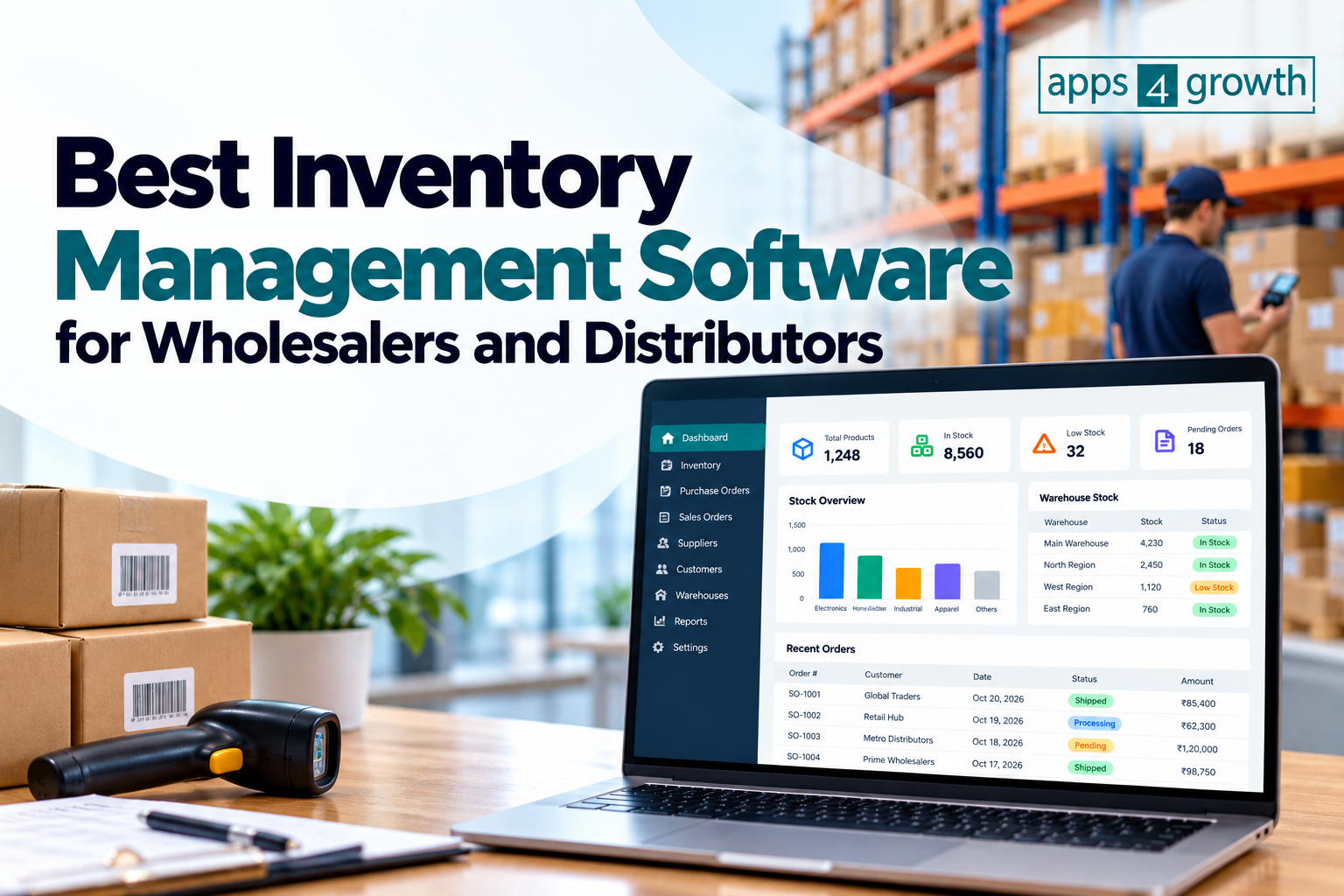
Best Inventory Management Software for Wholesalers and Distributors
Inventory management software for wholesalers and distributors helps businesses track stock levels, manage purchase orders, monitor warehouse inventory, and coordinate order fulfillment from a centralized platform. Many solutions also integrate with accounting systems, e-commerce platforms, and enterprise resource planning (ERP) software to improve operational visibility.
Choosing the right inventory management system can help wholesale and distribution businesses improve stock accuracy, reduce manual work, and make better purchasing decisions.
In this guide, we explore the best inventory management software for wholesalers and distributors, essential features to look for, the benefits of inventory automation, and how to select the right solution for your business.
What Is Inventory Management Software for Wholesalers and Distributors?
Inventory management software is a digital system that helps businesses track, organize, and control their stock throughout the supply chain. For wholesalers and distributors, it supports activities such as receiving goods, storing products, processing bulk orders, replenishing inventory, and shipping products to retailers or business customers.
Unlike basic stock tracking spreadsheets, inventory management software can provide real-time or near-real-time inventory visibility, automated stock alerts, purchase order management, and centralized reporting.
For example, when a distributor receives a bulk order, the system can check available stock, reserve the required quantities, update inventory records, and help the warehouse team prepare the shipment.
Depending on the platform, businesses can also manage multiple warehouses, product variants, batch numbers, serial numbers, and different pricing levels for wholesale customers.
Best Inventory Management Software for Wholesalers and Distributors
The best inventory management software depends on business size, order volume, warehouse complexity, budget, and existing systems. The following platforms offer different capabilities for inventory tracking, wholesale operations, and distribution management.
1. Zoho Inventory
Best for: Small and growing wholesale businesses
Zoho Inventory helps businesses manage stock, sales orders, purchase orders, shipments, and multiple warehouses. It also offers integrations with other Zoho applications and supported sales channels.
Key features include:
- Inventory tracking across supported warehouses
- Purchase and sales order management
- Shipment tracking and order fulfillment
- Barcode-related inventory workflows
- Reporting and stock monitoring
- Integration with accounting and commerce applications
Zoho Inventory may suit small and medium-sized distributors that need centralized stock control without immediately adopting a large ERP system.
Consideration: Review current plan limits, supported integrations, warehouse requirements, and transaction allowances before choosing a subscription.
2. Odoo Inventory
Best for: Businesses seeking flexible inventory and ERP capabilities
Odoo Inventory is part of the Odoo business application ecosystem. It supports stock movements, warehouse operations, replenishment, and integration with applications such as sales, purchasing, and accounting.
Key features include:
- Multi-warehouse and stock location management
- Reordering rules and replenishment workflows
- Barcode-supported operations
- Inventory transfers and receipts
- Integration with sales and purchasing
- Broader ERP capabilities through connected modules
Odoo can be a good option for distributors that want inventory management connected to other business processes within one platform.
Consideration: Implementation, configuration, hosting, and connected modules can affect the total cost and complexity.
3. inFlow Inventory
Best for: Small and medium-sized product-based businesses
inFlow Inventory focuses on inventory control, purchasing, sales orders, and product movement. It can help businesses manage stock across locations and coordinate the process from purchasing goods to fulfilling customer orders.
Key features include:
- Stock tracking and inventory adjustments
- Purchase and sales order management
- Barcode scanning support
- Product and supplier records
- Inventory reporting
- Multi-location capabilities, depending on the plan
inFlow may be suitable for wholesale businesses that want a dedicated inventory platform with practical purchasing and sales workflows.
Consideration: Confirm that its current integrations, warehouse features, and pricing match your operational requirements.
4. Cin7
Best for: Growing distributors and multichannel businesses
Cin7 provides inventory management and order management capabilities for product-based businesses operating across multiple sales channels. Depending on the product and plan, it can help connect inventory, purchasing, fulfillment, and sales operations.
Key features include:
- Inventory visibility across supported channels
- Purchase order management
- Order processing and fulfillment workflows
- Warehouse and stock control capabilities
- Integrations with accounting and commerce platforms
- Reporting for inventory and sales operations
Cin7 may be useful for distributors that sell through multiple channels and need better coordination between orders and available stock.
Consideration: Evaluate implementation requirements, supported integrations, and the capabilities included in the specific Cin7 product and subscription.
5. NetSuite ERP
Best for: Mid-sized and larger distribution businesses
Oracle NetSuite offers cloud-based ERP capabilities that include inventory management, purchasing, order management, financial management, and other connected business functions.
Key features include:
- Inventory visibility across locations
- Order and procurement management
- Demand planning capabilities
- Lot and serial tracking, where configured
- Financial and operational reporting
- Integration of inventory with broader business processes
NetSuite may be suitable for businesses that need inventory management as part of a wider enterprise resource planning system.
Consideration: Implementation can be more complex than adopting a standalone inventory tool. Businesses should assess licensing, customization, implementation services, and ongoing support.
6. SAP Business One
Best for: Small and medium-sized businesses with complex operations
SAP Business One is an ERP solution designed for small and medium-sized businesses. It brings together inventory, purchasing, sales, finance, and other business processes.
Key features include:
- Inventory and warehouse tracking
- Purchasing and supplier management
- Sales order processing
- Inventory valuation and reporting
- Lot and serial number management
- Integration with accounting and other ERP functions
SAP Business One may suit distributors that require stronger coordination between inventory, finance, procurement, and customer orders.
Consideration: Implementation partners, customization, infrastructure, and licensing can influence overall costs and deployment timelines.
7. Microsoft Dynamics 365 Supply Chain Management
Best for: Large distributors and complex supply chains
Microsoft Dynamics 365 Supply Chain Management provides capabilities for inventory, warehouse operations, procurement, planning, and supply chain coordination.
Key features include:
- Inventory management across locations
- Warehouse management workflows
- Procurement and replenishment support
- Demand and supply planning capabilities
- Integration with other Microsoft business applications
- Analytics and operational reporting
It may be appropriate for large distribution organizations with complex warehouse processes, high transaction volumes, or extensive integration requirements.
Consideration: The solution may require significant planning, configuration, training, and implementation resources.
Comparison of the Best Inventory Management Software
| Software | Best suited for | Main strengths |
|---|---|---|
| Zoho Inventory | Small and growing wholesalers | Stock, orders, shipments, integrations |
| Odoo Inventory | Businesses seeking flexible ERP functionality | Warehouse workflows and connected business apps |
| inFlow Inventory | Small and medium-sized product businesses | Inventory tracking and purchasing workflows |
| Cin7 | Multichannel distributors | Inventory and order coordination |
| NetSuite ERP | Mid-sized and large distributors | Integrated inventory and business management |
| SAP Business One | SMEs with complex operations | Inventory, finance, sales, and purchasing |
| Microsoft Dynamics 365 Supply Chain Management | Large distribution operations | Advanced supply chain and warehouse capabilities |
This comparison is a starting point, not a definitive ranking. Features and availability can vary by product edition, configuration, region, and subscription. Verify current capabilities and pricing with each vendor before making a decision.
Essential Features to Look for in Wholesale Inventory Management Software
When comparing inventory management software for wholesalers and distributors, prioritize features that address your day-to-day operational challenges.
1. Real-Time Inventory Tracking
Real-time or near-real-time stock visibility helps businesses understand how much inventory is available, allocated, in transit, or awaiting receipt.
This is particularly important when multiple employees, warehouses, or sales channels use the same inventory.
2. Multi-Warehouse Management
Distributors often store products in different warehouses, distribution centers, or regional facilities. Multi-warehouse inventory management helps businesses monitor stock by location and transfer products when necessary.
Look for support for stock transfers, warehouse-specific quantities, location tracking, and consolidated inventory reporting.
3. Purchase Order Management
Purchase order management helps businesses create orders for suppliers, track incoming goods, and record receipts.
A good system can connect purchasing activity with current stock levels and expected demand, making it easier to plan replenishment and avoid unnecessary purchases.
4. Bulk Order Processing
Wholesale businesses frequently handle large orders containing multiple products and quantities. The software should make it easy to process orders, reserve available stock, generate picking information, and coordinate shipments.
Check whether the system supports your order formats, customer pricing rules, and required approval processes.
5. Barcode and SKU Management
Stock keeping units (SKUs) help businesses identify individual products and variants. Barcode scanning can speed up receiving, picking, packing, counting, and dispatch operations.
If you manage hundreds or thousands of products, barcode support can reduce manual data entry and help improve inventory accuracy.
6. Reorder Points and Low-Stock Alerts
Inventory management software can notify employees when stock reaches a defined threshold. Some platforms also support replenishment recommendations based on demand, supplier lead times, and other planning inputs.
These features help purchasing teams respond before popular products run out of stock.
7. Wholesale Pricing and Customer Management
Wholesale businesses may offer different prices based on customer agreements, order quantities, or account types.
Look for support for customer-specific price lists, volume-based pricing, discounts, and integration with CRM or sales order management systems when these capabilities are important to your business.
8. Reporting and Analytics
Inventory reports help businesses understand which products sell quickly, which items remain in storage, and where stock discrepancies occur.
Useful reports include:
- Stock on hand by warehouse
- Inventory turnover
- Slow-moving and obsolete stock
- Stockout frequency
- Purchase order status
- Order fulfillment performance
- Inventory valuation
These insights can support better purchasing and inventory planning decisions.
9. Accounting and ERP Integrations
Inventory transactions affect purchasing costs, sales records, taxes, and financial reporting. Integration with accounting and ERP systems can reduce duplicate data entry and improve consistency across departments.
Before purchasing software, confirm which integrations are native, which require third-party connectors, and whether additional charges apply.
Benefits of Inventory Management Software for Wholesalers and Distributors
Improved Stock Accuracy
Centralized inventory records help teams track receipts, shipments, returns, adjustments, and transfers. Barcode scanning and validation rules can further reduce discrepancies between recorded and physical stock.
Reduced Overstocking and Stockouts
Demand visibility, reorder alerts, and purchasing workflows can help businesses maintain more appropriate stock levels. Better inventory planning can reduce excess inventory while making important products more consistently available.
Faster Order Fulfillment
When inventory and order information are connected, warehouse employees can locate products, prepare shipments, and update order statuses more efficiently.
Lower Operational Costs
Inventory automation can reduce repetitive data entry, unnecessary stock purchases, manual reconciliation, and avoidable shipping errors. Actual savings depend on the business’s starting processes, software costs, and implementation quality.
Better Supplier Coordination
Purchase order tracking and expected delivery information help purchasing teams follow up with suppliers and plan around lead times.
Greater Business Visibility
Inventory dashboards and reports help managers monitor stock availability, purchasing activity, sales patterns, and warehouse performance across locations.
How to Choose the Right Inventory Management Software
The best inventory system is one that fits your business workflows today while supporting expected growth.
Step 1: Assess Your Inventory Requirements
List your current challenges, such as inaccurate stock records, delayed orders, poor warehouse visibility, or limited reporting. Determine how many products, warehouses, suppliers, and sales channels the system must support.
Step 2: Define Your Budget
Consider the full cost of ownership, including subscriptions or licenses, implementation, training, integrations, hardware, support, and future upgrades.
Do not compare software solely on its starting subscription price.
Step 3: Check Integration Requirements
Identify the accounting software, ERP system, e-commerce platforms, marketplaces, shipping services, and CRM applications that must connect to your inventory system.
Confirm whether the integrations support the specific data and workflows your business needs.
Step 4: Evaluate Warehouse and Order Workflows
Ask vendors to demonstrate the tasks your team performs most frequently, including receiving stock, transferring products, picking orders, processing returns, and conducting stock counts.
A practical demonstration is more useful than a feature list alone.
Step 5: Review Reporting and Automation
Check whether the system offers the reports, alerts, replenishment rules, and approval workflows required by your purchasing and warehouse teams.
Step 6: Test the Software Before Committing
Use a trial, sandbox, or structured demonstration where available. Test realistic orders, product variations, warehouse transfers, and exceptions.
Involve employees who will use the software daily so you can assess usability and training needs.
Step 7: Plan Implementation and Training
Prepare product records, SKU data, supplier information, opening stock balances, and integration settings before migrating to the new system.
Assign an implementation owner and train employees on receiving, order processing, stock adjustments, and reporting.
Common Inventory Management Challenges and How Software Helps
Inaccurate stock records: Use centralized stock movements, barcode workflows, and regular cycle counts to reconcile recorded quantities with physical inventory.
Excess inventory: Use sales history, demand planning, and replenishment rules to improve purchasing decisions.
Frequent stockouts: Configure reorder alerts and review supplier lead times and demand patterns.
Delayed shipments: Connect sales orders with available stock and warehouse picking workflows to improve fulfillment coordination.
Disconnected systems: Integrate inventory with accounting, purchasing, sales, and e-commerce systems where practical.
Limited visibility across warehouses: Use location-level inventory records and consolidated reporting to make stock easier to monitor.
Software can improve these processes, but results also depend on accurate product data, consistent operating procedures, and employee adoption.
Conclusion
The best inventory management software for wholesalers and distributors depends on the complexity of your operations, number of warehouses, order volume, integration requirements, and budget.
Zoho Inventory, Odoo Inventory, and inFlow Inventory are worth evaluating for businesses seeking inventory-focused workflows. Cin7 may be relevant for multichannel distribution, while NetSuite ERP, SAP Business One, and Microsoft Dynamics 365 Supply Chain Management offer broader capabilities for businesses with more complex operational requirements.
Before making a decision, compare essential features, total costs, integrations, implementation needs, and scalability. Choose a system that solves your most important inventory problems rather than paying for features your business will not use.
At Apps4growth, we help businesses explore software solutions and technology strategies that support efficient operations and sustainable growth. Start by documenting your inventory challenges, comparing suitable platforms, and testing your preferred solution with real business workflows.
Frequently Asked Questions (FAQs)
1. What is the best inventory management software for wholesalers?
The best option depends on your business size and operational needs. Zoho Inventory, Odoo Inventory, inFlow Inventory, and Cin7 are worth evaluating for inventory-focused workflows, while ERP platforms may suit businesses that need broader integration across finance, procurement, and distribution.
2. What features should wholesale inventory software include?
Important features include stock tracking, multi-warehouse management, purchase order processing, bulk order fulfillment, barcode scanning, low-stock alerts, inventory reporting, and integration with accounting or ERP systems.
3. Is inventory management software suitable for small distributors?
Yes. Small distributors can use inventory software to track products, manage supplier orders, monitor stock levels, and improve order accuracy. A simpler platform may be sufficient until warehouse and integration requirements become more complex.
4. What is the difference between inventory management software and ERP software?
Inventory management software focuses primarily on stock control, purchasing, and related inventory workflows. ERP software connects inventory with broader business functions such as finance, procurement, sales, production, and reporting. Some inventory platforms also provide ERP capabilities.
5. Can inventory management software manage multiple warehouses?
Many platforms support multiple warehouses or stock locations. However, the number of supported locations and available transfer, reporting, and replenishment features may depend on the product and plan.
6. How does inventory software help reduce costs?
Inventory software can help reduce excess stock, avoid preventable stockouts, improve purchasing decisions, reduce manual data entry, and limit fulfillment errors. Savings vary depending on implementation and how effectively the business uses the system.
7. How much does inventory management software cost?
Pricing varies by vendor, subscription tier, users, transaction volumes, warehouse requirements, and included features. ERP implementations may also involve implementation partners, customization, and training. Request a current quote based on your business requirements.
8. Should wholesalers choose cloud-based or on-premises inventory software?
Cloud-based software can simplify remote access, updates, and multi-location coordination. On-premises solutions may suit businesses with particular infrastructure or control requirements. Evaluate security, connectivity, integration, maintenance, and total cost before deciding.